Frequently Asked Questions
Got questions? You are in the right place. Find quick answers for drivers and businesses using Iconic Taxi App.
Account & Sign-In
How do I sign in to Iconic Taxi App?
Please sign in with Google or Apple using your phone's built-in authentication. This gives stronger account security and a faster, simpler login experience, so no separate app password is needed.
I am unable to log into my app. What should I do?
If you are having trouble logging in, please email account@iconictaxiapp.com using your registered email address and include your badge number.
Our support team will contact you and aim to resolve the issue within 2 working days.
Can I use my account on multiple devices?
No. Your account can only be used on one device at a time. If you sign in on a new device, the app will ask if you want to use your account on that device. If you confirm, your account will be linked to the new device and will no longer be active on the previous one.
Driver Verification
What does "Verified by badge. Known by Driver ID." mean?
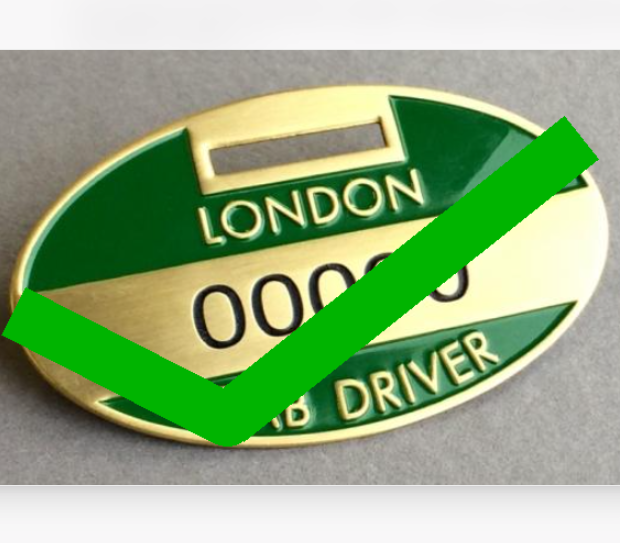
When you first sign in with your Apple or Google account, the app automatically creates a random Driver ID for your account. You then complete the Driver Verification page so we can confirm that you are a London Green Badge holder (Hackney Carriage driver).
When you share updates or communicate in the app, other regular drivers see your Driver ID—not your name, badge number, photograph, or personal details.
For information about how your account and verification information is handled, please see our Privacy Policy.
My Verify Driver Account keeps getting rejected. What should I do?
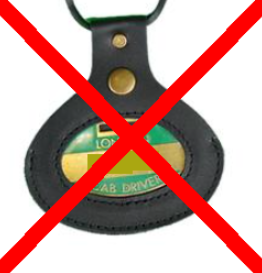
Make sure your driver photo is clear, your badge number matches your profile details, and your badge image is fully visible and readable. Blurry, cropped, or unclear badge photos may be rejected.
App Troubleshooting
I'm getting an error message when I open the app. What should I do?
If you have a problem and keep getting an error message, uninstall and reinstall the app from the App Store or Google Play Store, then try again, especially in the event of updating to the latest version.
The app is not showing the latest information. What should I do?
If the app is not showing the latest information, log out, close the app completely, reopen it, and sign in again. Then allow a minute for the app to refresh. If the issue continues, as a last resort uninstall and reinstall the app from the App Store or Google Play, then sign in again.
What happens to information saved on the Stored Messages page if I reinstall the app, clear its data, or change devices?
Information saved on the Stored Messages page is stored locally on your device. Deleting and reinstalling the app, clearing the app's data, or changing devices will permanently remove all saved messages. Stored messages are not backed up, cannot be transferred to another device, and cannot be recovered.
I keep seeing a "No internet connection" banner in the app. Why?
As a Hackney carriage / black cab driver, you are constantly on the move and may also be on phone calls (hands-free or earphones). During these moments, your internet connection can briefly drop, even if your phone appears connected.
Our app frequently checks connection status to ensure reliable updates. If your connection is unstable, it may trigger the warning banner. Some drivers choose to upgrade their mobile data plans (for example, from 10 Mbps to 100 Mbps or higher) to reduce internet dropouts and improve performance.
Subscriptions & Billing
How do I cancel my monthly subscription?
Cancel from the same store account you used to subscribe, then select the subscription listed as Iconic Taxi App (or a very similar app name).
Apple (App Store): Open Settings on your iPhone > tap your name > Subscriptions > select Iconic Taxi App (or similar) > Cancel Subscription.
Google (Play Store): Open Google Play Store > profile icon > Payments & subscriptions > Subscriptions > select Iconic Taxi App (or similar) > Cancel subscription.
Deleting the app does not cancel your subscription.
Why is your subscription price so low, and could pricing change in the future?
We intentionally keep pricing as low as possible for drivers. On in-app subscriptions, deductions are taken before we receive funds, including UK VAT and the platform fees charged by Apple and Google.
In some cases, the total deduction can be close to or slightly over 30% of the transaction before funds reach us.
Most of the remaining revenue goes directly into running and improving the app (infrastructure, support, security, moderation, and updates), so our margin stays very small.
As the app grows, maintenance and operating costs may increase, so subscription pricing may be reviewed in the future. If changes are needed, we will communicate them in advance.
Support & Contact
I contacted Iconic Taxi App but did not receive a reply. What should I do?
First, check your junk or spam folder, as our reply may have been filtered there. Add account@iconictaxiapp.com to your safe sender list, and sales@iconictaxiapp.com as well for trade enquiries.
If you still have not received a reply after 2 working days, contact us again from your registered email address and include your Driver ID in the subject line, for example: Driver ID 12345 - Support Follow-Up.
How can I suggest improvements to the app?
We welcome suggestions from drivers. If you would like to advise us about improvements, such as changes to dropdown options like Rank location, Flow, or Demand, or updates to points shown on the Trains, Ranks, Theatres, Events, or Airport pages, please go to Profile > Help & Support > Feedback in the app. This will open your email app, where you can send us your suggestions and tell us how we can improve.
Traffic News & Community Rules
Can we use the Traffic News section for general chatting?
The "Traffic News" section is only for sharing traffic-related information, incidents, road closures, and alerts that affect drivers. It's designed to keep all drivers informed about current road conditions and help everyone plan their routes effectively. Please use alternative platforms for general conversation, as the app's architecture is not designed for chatting due to significant cost implications and infrastructure requirements. Please see Terms & Conditions.
Why does the Traffic News page reset at 5am every day?
The page resets at 5am to give drivers a fresh start each morning with decluttered, relevant information. This ensures you're only seeing current traffic conditions and incidents from today, without yesterday's resolved issues cluttering your view. The 5am timing coincides with when the morning commute begins, so the information you see is pertinent to your current journey rather than outdated alerts from the previous day.
Advertising & Listings
How do I know if my business is eligible to advertise on the Iconic Taxi App platform?
Please contact our sales team first at sales@iconictaxiapp.com. We will confirm whether your business qualifies before you begin a subscription.
Can I change my Trade Advertisement content during my subscription?
Yes. If your Trade Advertisement subscription is active, you may request one content update per calendar month. All updates are subject to review and approval and must comply with our advertising standards and Terms & Conditions.
Can I change my Taxi for Sale listing during my subscription?
Yes. If your Taxi for Sale subscription is active, you may request one listing content update per calendar month. All updates are subject to review and approval and must comply with our Terms & Conditions.
Availability & Rollout
Which drivers can currently use the app, and when will it be available to other areas?
The app is currently available for Hackney Carriage / London Green Badge holders. Once the app is fully functional with a stable release, we'll begin rolling it out to some Hackney Carriage / London Yellow Badge holders, and eventually expand to all London Suburban areas. This phased approach ensures we can deliver a reliable experience to all drivers as we scale up.